
Which monitor is better? Compare two
624 new monitors to compare on price, score and specs; collected Nov 6.
Pick a size. Applies to all pages ·
624 new monitors, catalog as of Nov 6, 2026. The page address saves your choice.
- score 5.5
Acer
KG240Y$154
No history yet · today
- score 7.7
Samsung
LS27HG802S$998
No history yet · today
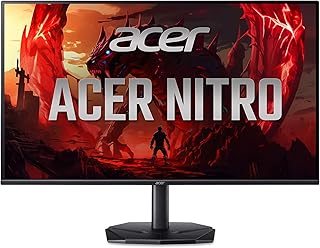 AAcer KG240Y
 BSamsung LS27HG802S
Acer KG240Y wins in 3 fields, Samsung LS27HG802S in 4.
What each one has that the other lacks
- AAcer KG240Ywins in 3
- BSamsung LS27HG802Swins in 4
- Collected price: Acer KG240Y wins with $154 against $998, $844 less. The price collected today, from a trusted seller.
- Spec sheet score: Samsung LS27HG802S wins with 7.7 against 5.5, +2.2 pts. Sum of image, smoothness, connections, ergonomics and recency.
- image score: Samsung LS27HG802S wins with 7.5 against 2.5, +5.0 pts.
- smoothness score: Acer KG240Y wins with 10.0 against 8.5, +1.5 pts.
- connections score: Samsung LS27HG802S wins with 7.0 against 5.0, +2.0 pts.
- Pixel density: Samsung LS27HG802S wins with 163 ppi against 92 ppi, +71 ppi. Sharper text and images.
- Response time (stated): Acer KG240Y wins with 0.5 ms against 3.0 ms, +2.5 ms. Number stated by the manufacturer; GtG and MPRT can’t be compared.
See full specsHide specs
| Field | Acer KG240Y | Samsung LS27HG802S |
|---|---|---|
| Price and score | ||
| Collected price | $154 | $998 |
| Spec sheet score | 5.5 | 7.7 |
| Score by component | ||
| image score | 2.5 | 7.5 |
| smoothness score | 10.0 | 8.5 |
| connections score | 5.0 | 7.0 |
| ergonomics score | no data | no data |
| recency score | no data | no data |
| Spec sheet | ||
| Type | Gaming (144 Hz or more) | Gaming (144 Hz or more) |
| Screen size | 24.0 ″ | 27.0 ″ |
| Colour | no data | no data |
| Release year | no data | no data |
| Image | ||
| Resolution | Full HD | 4K |
| Pixel density | 92 ppi | 163 ppi |
| Panel | no data | no data |
| Stated HDR | HDR 10 | HDR 400 |
| Curved screen | no data | no data |
| Aspect ratio | 16:9 | 16:9 |
| Smoothness | ||
| Refresh rate | 240 Hz | 240 Hz |
| Response time (stated) | 0.5 ms | 3.0 ms |
| Sync | FreeSync | Gsync |
| Connections | ||
| HDMI ports | 1 | 1 |
| DisplayPort ports | 1 | 1 |
| USB-C | no data | yes |
| USB-C with laptop charging | no data | no data |
| Built-in speaker | no data | no data |
| Ergonomics | ||
| Height adjustment | no data | no data |
| Pivot (portrait mode) | no data | no data |
| VESA mount holes | no data | no data |
Prices as of 06/11, they may change at the store. Score by specs, from 0 to 10. How we calculate →
Next step
Still undecided between the two?
See where each one stands among all the new monitors, by price and score.
Frequently asked questions
What does the comparison show?
Price, spec sheet score, the score for each component (image, smoothness, connections, ergonomics and recency) and the spec sheet. On each row with a rule, we mark the one that wins.
Why do some fields show "no data"?
Because the catalog doesn’t list that detail for the monitor, and we’d rather show the gap than make up a number. A field with no data on one side doesn’t count for either.
Where does the price of each monitor come from?
This is the lowest price from a trusted seller on the date we checked. It changes without notice. The buy button goes straight to the store, where the price of the day applies.
Read next
Where the numbers come from
Lowest price seen for the product on Amazon.ca, delivered to Toronto M5V 3L9, on the day it was read, before GST/HST. Who wins on each row: the highest value for score and for fields where more is better; the lowest for price. Fields where higher doesn’t mean better appear without marking a winner.
The comparison uses the catalog specs and the Radar spec score. It doesn’t measure the real calibration, durability or what buyers think.
Data from Nov 6, 2026.