
Updated 20 Nov 2026
How much storage a tablet needs
By Bruno Barroso, Tablet Radar
64, 128 or 256 GB: what each use calls for.
Not sure if 64 GB is enough or if it’s worth paying for 256 GB?
See the rule by useStep 1 of 8
The rule by use
How much space each way of using it calls for.
Storage is where the system, apps, photos and everything you download live. The Radar’s rule is an editorial choice, not a standard, and starts from what you do with the tablet:
| Use | Storage | Why |
|---|---|---|
| A child streaming video | 64 GB is enough | Videos play over the internet and almost nothing is stored |
| Watching shows and reading | 64 GB to 128 GB | 128 GB gives you room if you download episodes for trips |
| Study with PDFs and notes | 128 GB or more | Books, PDFs and digital notebooks grow over the semester |
| Photos, videos and games | 256 GB or more | Recorded video and big games fill the space fast |
| Editing and drawing with lots of files | 256 GB or more | Projects and layers take up a lot of space |
Step 2 of 8
A child and streaming video
Here the space matters less.
If the tablet is for a child to watch videos and use a few apps, 64 GB is usually enough, because the video comes from the internet and isn’t stored. In the 20/11/2026 catalog, 8 tablets, from $177.00, with a median of $488.00. If they will download games and videos for trips, go up to 128 GB. See also the kids tablet guide.
Step 3 of 8
Study with PDFs and notes
The study rule is 128 GB or more.
People who study accumulate PDF books, handouts, digital notebooks and class recordings. The Radar’s rule for studying and note-taking is 128 GB or more with a compatible pen. Today 38 regular tablets have 128 GB or more, from $303.00. If the files stay in the cloud, 128 GB is plenty; if they stay on the tablet, think 256 GB.
Step 4 of 8
Photos, videos and games
People who record and game need 256 GB or more.
Video recorded on the tablet itself and big games are what take up the most space. For this use, the Radar’s rule is 256 GB or more, or a model with a memory card. In today’s catalog, 17 regular tablets reach 256 GB or more, from $342.00.
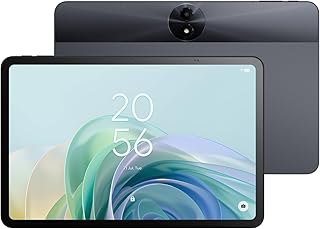
Of the 46 tablets on sale today, 17 meet this criterion: 256 GB or 512 GB or more and Tablet. Half cost $518.00 or less. The cheapest:


Step 5 of 8
Memory card and the iPad
The iPad doesn’t accept a card; many Android tablets do.
The iPad has no memory card slot: the space you buy is the space you will have, and you can’t add more later. Many Android tablets accept a microSD card, and that is a cheap way to gain space for photos, videos and music. The card doesn’t help with everything: apps and the system stay in internal storage, and not every model accepts a card. That’s why each tablet’s page on the Radar shows whether it has the memory card badge.
Step 6 of 8
The free space is less than advertised
The system and apps take up part of the total.
A 128 GB tablet doesn’t give you 128 GB free. The system, the apps that come preinstalled and the updates take up a part, and the factory free space is less than the advertised number. With use, updates grow and the free space drops further. When torn between two steps, the bigger one is worth it, especially on the iPad, which doesn’t accept a card.
Step 7 of 8
How much it costs to go up a step
The difference in medians in the 20/11/2026 catalog.
| Storage | In the catalog | Median price |
|---|---|---|
| 64 GB or less | 8 tablets, from $177.00 | $488.00 |
| 128 GB | 21 tablets, from $303.00 | $440.00 |
| 256 GB | 13 tablets, from $378.00 | $519.00 |
| 512 GB or more | 4 tablets, from $342.00 | $385.00 |
Going up a step costs, by the medians: from 64 GB or less to 128 GB, the median doesn’t go up in today’s catalog ($488.00 and $440.00); from 128 GB to 256 GB, the median goes up $79.00 (from $440.00 to $519.00); from 256 GB to 512 GB or more, the median doesn’t go up in today’s catalog ($519.00 and $385.00).
The median mixes different models. To know the exact cost of the step on the same model, compare the versions on its page.
Step 8 of 8
The pick
The ones mentioned in the guide, with today's price and the store.
- No proven discount
Ulefone
SD2048GB 8″$342.25
Today’s price
Best price at Amazonchecked today
No public coupon today · the store may release one just for you on the page, be sure to checkWhy choose it
Pros16 GB · above average
- No proven discount
TCL
Tab 10,95″$354.30
Today’s price
Best price at Amazonchecked today
No public coupon today · the store may release one just for you on the page, be sure to checkWhy choose it
Who it’s forReading
Pros1 TB · above average
Cons6 GB · below average
- No proven discount7.07.0
Lenovo
Idea Tab$377.71
Today’s price
Best price at Amazonchecked today
No public coupon today · the store may release one just for you on the page, be sure to checkWhy choose it
Who it’s forGaming
Pros12% below similar
What each step delivers
- 46tablets in the catalog
- 20/11price date
64 GB is enough for a child and streaming, 128 GB or more is the rule for studying and 256 GB or more suits people who record video and game. Today 38 of the 46 regular tablets in the catalog have 128 GB or more, from $303.00.
| If the use is | Choose |
|---|---|
| A child and streaming video | 64 GB |
| Study, PDFs and notes | 128 GB or more |
| Photos, videos and games | 256 GB or more, or a memory card |
| iPad (no memory card) | One step above what you think you need |
The best by price range
Next step
See the tablets that fit you
Each point is a new tablet, by price and spec score.
Frequently asked questions
How much storage does a tablet need?
It depends on the use. For a child streaming video, 64 GB is usually enough; for studying, the Radar’s rule is 128 GB or more; for photos, videos and games, 256 GB or more. It’s an editorial choice, not a standard. Today 38 regular tablets have 128 GB or more, from $303.00.
Is 64 GB too little for a tablet?
For streaming video, reading and browsing, 64 GB works. It gets tight for people who download games, record video or keep lots of PDFs, and the factory free space is already less than advertised. In the 20/11/2026 catalog, 8 tablets, from $177.00.
Does a tablet accept a memory card?
Many Android tablets accept a microSD card, and that helps store photos, videos and music. The iPad doesn’t accept a card. Apps and the system stay in internal storage, so the card doesn’t solve everything. Each tablet’s page on the Radar shows whether it has a memory card slot.
Why does the 128 GB tablet show less free space?
Because the system, the preinstalled apps and the updates take up part of the total. The factory free space is less than the advertised number, and the difference grows as the system gets updates.
Is it worth paying more to go from 128 GB to 256 GB?
In the 20/11/2026 catalog, from 128 GB to 256 GB, the median goes up $79.00 (from $440.00 to $519.00). It’s worth it for people who record video, game or keep files on the tablet itself, especially on the iPad, which doesn’t accept a card. For people who use the cloud and streaming, 128 GB is usually enough.
Read next
Where the numbers come from
The rule by use is an editorial choice by the Radar, not a standard. The numbers come from the catalog of the check on 20/11/2026, regular tablets only (kids tablets are left out of the step calculation). The difference between steps is the difference of the median prices of each range and mixes different models. The factory free space and each model’s memory card are not given as numbers. Median price of the catalog: $488.00.
The guide helps you decide and doesn’t recommend a tablet for you: the final price is the one at the store, and the spec score doesn’t measure real-world performance or durability.
Data from 20 Nov 2026.