
Acer Aspire 17.3″ Intel N150 or Asus Chromebook Plus CX14 14″ Intel N355?
Aspire 17.3″ Intel N150 costs $109 less today; Chromebook Plus CX14 14″ Intel N355 has score 0.6 higher (4.2 vs. 3.6).
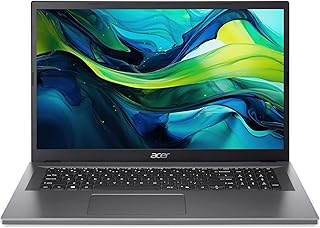
3.6score

4.2score · higher
Acer wins 0by componentAsus wins 1
- 2.5Performance2.5
- 2.8Memory and storage2.8
- 6.5Screen8.5
Acer Aspire 17.3″ Intel N150 is $109 the cheaperAsus Chromebook Plus CX14 14″ Intel N355 is the cheaper
Full spec sheet
- Acer Aspire 17.3″ Intel N150 0 specs ahead
- Asus Chromebook Plus CX14 14″ Intel N355 0 specs ahead
- 3 the same
Performance
2.52.52 differences
| Item | Acer Aspire 17.3″ Intel N150 | Asus Chromebook Plus CX14 14″ Intel N355 |
|---|---|---|
| Processor | Intel N150 | Intel N355 |
| RAM | 8 GB same | |
| Storage | 128 GB same | |
| Storage type | UFS | eMMC |
Screen
6.58.52 differences
| Item | Acer Aspire 17.3″ Intel N150 | Asus Chromebook Plus CX14 14″ Intel N355 |
|---|---|---|
| Size | 17.3 polegadas | 14 polegadas |
| Resolution | Full HD | 4K |
| Screen type | IPS same | |
Portability
1 difference
| Item | Acer Aspire 17.3″ Intel N150 | Asus Chromebook Plus CX14 14″ Intel N355 |
|---|---|---|
| Weight | 2.0 kg | not listed |
General
2 differences
| Item | Acer Aspire 17.3″ Intel N150 | Asus Chromebook Plus CX14 14″ Intel N355 |
|---|---|---|
| System | Windows | ChromeOS |
| Model code | AG17 | CX1405CTA |
More technical details
25 differences
| Item | Acer Aspire 17.3″ Intel N150 | Asus Chromebook Plus CX14 14″ Intel N355 |
|---|---|---|
| Brand | Acer | not listed |
| Model name | Aspire AG17-31P-C0KQ | not listed |
| Screen size | 17.3 Inches | not listed |
| Colour | Black | not listed |
| Special feature | Numeric Keypad | not listed |
| Graphics card description | Integrated | not listed |
| Color | Black | not listed |
| Hard-Drive Size | 128 GB | not listed |
| Other Special Features of the Product | Numeric Keypad | not listed |
| Graphics Description | Integrated | not listed |
| Graphics Coprocessor | Carte graphique Intel | not listed |
| Hard Disk Description | 128 GB USF, USF | not listed |
| Video Processor | Intel | not listed |
| Specific Uses For Product | Business, Entertainment, Student | not listed |
| Webcam Capability | No | not listed |
| Form Factor | Clamshell | not listed |
| Graphics Ram Type | DDR DRAM | not listed |
| Compatible Devices | USB devices, HDMI display, keyboard, mouse, external hard drives | not listed |
| EU Spare Part Availability Duration | 5 Years | not listed |
| Item Dimensions L x W x Thickness | 25L x 25W x 2.3Th centimetres | not listed |
| Power Device | 65W TypeC | not listed |
| Video Output | HDMI | not listed |
| Operating System Family | Windows | not listed |
| Display Resolution Maximum | 1920x1080 | not listed |
| Display Refresh Rate in Hertz | 60 | not listed |
Affiliate links: if you buy, the store pays us a commission at no cost to you.
Details (tap to open)
The best for each use
By the spec rule for each use, the same one the lists on this site use.
Neither one fits: Laptops for study and basic use, Laptops for work and office, Laptops for programming, Laptops for photo and video editing, Gaming laptops, Light laptops to carry every day.
Score by component, side by side
Chromebook Plus CX14 14″ Intel N355 wins on screen.
- 2.5Performance2.5
- 2.8Memory and storage2.8
- 6.5Screen8.5 (wins)
Both prices at today’s check
Where is each one cheapest today?
Updated 23/11/2026
- Amazon Lowest price$675Buy on Amazon
- Amazon Lowest price$784Buy on Amazon
Other comparisons
- Aspire 17.3″ Intel N150 orAsus Vivobook S16 S5608QA-U3304W 16″ Snapdragon X$892 · score 6.6Compare
- Chromebook Plus CX14 14″ Intel N355 orLenovo IdeaPad 5 14″ Core i5-13420H$999 · score 5.6Compare
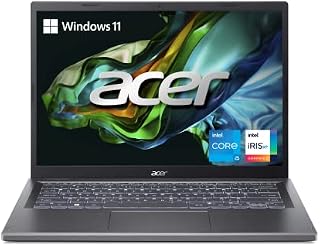 Aspire 17.3″ Intel N150 orAcer Aspire 5 14″ Core i5-1335U$1,487 · score 5.8Compare
 Aspire 17.3″ Intel N150 orAcer Swift Go 14″ Ryzen 7 8845HS$0 · score 7.2Compare
- Chromebook Plus CX14 14″ Intel N355 orAcer Aspire 5 14″ Core i5-1335U$1,487 · score 5.8Compare
- Chromebook Plus CX14 14″ Intel N355 orAcer Swift Go 14″ Ryzen 7 8845HS$0 · score 7.2Compare
See more 4 comparisons
- Aspire 17.3″ Intel N150 or HP Chromebook 14″ Celeron$631 · score 2.2
- Chromebook Plus CX14 14″ Intel N355 or Asus Chromebook CM14 14″ MediaTek$465 · score 3.6
- Aspire 17.3″ Intel N150 or Samsung Galaxy CHROMEBOOK Go 14″ Celeron$488 · score 2.8
- Chromebook Plus CX14 14″ Intel N355 or Samsung Galaxy CHROMEBOOK Go 14″ Celeron$488 · score 2.8
How we choose
Source: Amazon.com.au catalog, checked on 23/11/2026.
Lowest price seen for the product on Amazon.com.au, delivered to Sydney 2000, on the day it was read, including GST. The model is the brand plus the name of the laptop; the versions go in the table. The price range, the median and the position use only models with a score; the price comparison looks at models whose score is within 0.5 points.
The spec score doesn’t measure real-world performance or durability, and the strong or weak point reading is just a comparison of numbers, not a buying recommendation.